Mobile Apps Built Around Your Business, Customers & Workflow
Mobile App Development Company
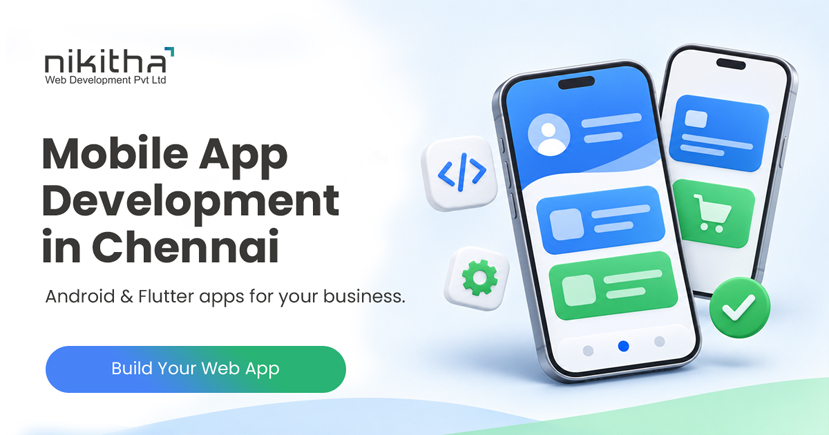
Build Android and Flutter mobile applications connected with your website, custom software, APIs, payments and business systems. From customer apps to internal business applications, we develop around what your users actually need.
Mobile Apps Built Around Your Business, Customers & Workflow A mobile app should do more than put your business logo on a smartphone screen.
It should solve a problem.
Your customers may need to place orders, book services, make payments or track requests. Your sales team may need to manage leads while travelling. Employees may need access to tasks and business information. Your existing web application may need a mobile interface.
Nikitha provides mobile app development services for businesses that need practical, user-friendly applications connected with their websites, databases, APIs and business systems.
From Android app development to cross-platform Flutter app development, we help businesses turn ideas and existing processes into functional mobile applications.
Don't Just Build an App. Build Something People Have a Reason to Use.
Mobile App Development Services
Our mobile application development services focus on understanding what users need to accomplish through the application.
Depending on your requirements, we can develop mobile apps for:
Customers
Employees
Sales teams
Vendors
Members
Service providers
eCommerce businesses
Booking businesses
Field teams
Internal operations
Startups
Existing web applications
The first question isn't:
"Which technology should we use?"
It is:
"What should the user be able to do with the app?"
Once that is clear, we can determine the appropriate technical approach.
What Type of Mobile App Do You Need?
Mobile applications can solve very different business requirements.
You may need an app for:
Customer Engagement
Allow customers to interact with your business conveniently.
eCommerce
Browse products, manage carts and place orders.
Booking
Allow customers to select services, dates and available time slots.
Sales
Give salespeople mobile access to leads, follow-ups and customer information.
Field Operations
Allow employees working outside the office to update information.
Customer Service
Let customers submit and track service requests.
Internal Business Operations
Give employees access to tasks, approvals, data and workflows.
Existing Web Application
Provide a mobile interface connected to your current business application.
Start with the Use Case. Then Build the App Around It.
Android App Development
Android is used across a wide range of smartphones and devices, making Android app development an important option for businesses targeting mobile users.
Depending on your requirement, an Android application may include:
User registration
Login
User profile
Dashboard
Product catalogue
Search
Forms
Booking
Orders
Payments
Notifications
Location features
Document upload
Camera integration
Customer support
Reports
API connectivity
Our developers can evaluate whether your requirement is best implemented as a dedicated Android application or through a cross-platform framework.
Android Application Development for Business
Business applications frequently need more than a visually attractive interface.
They need to communicate with business systems.
For example:
Android Application
API
Business Application
Database
CRM / ERP / Other Systems
This allows mobile users to interact with the same business data used by your website or internal application.
Android Software Development
For specialized requirements, Android software development may involve custom business logic and integration with backend systems.
Potential use cases include:
Field sales applications
Service-management apps
Order-management apps
Employee applications
Customer portals
Dealer applications
Distributor applications
Inspection apps
Data-collection applications
Business utility apps
The software is designed around the intended users and required workflow.
Want to Create an Android App?
You don't need to arrive with a complete technical specification.
Start with the idea.
Tell us:
Who will use the app?
What should they be able to do?
What information will they enter?
What information should they see?
Does the app need to connect with your existing website or software?
Does it need payments, maps, notifications or other integrations?
Our development team can help convert the requirement into an application scope.
You Explain the Idea. We'll Help Define the Application.
Flutter App Development
Flutter app development can be considered when a project requires a cross-platform mobile application.
Instead of maintaining completely separate application codebases for supported mobile platforms, Flutter can enable development from a shared codebase while delivering app experiences across supported platforms.
Depending on your requirements, Flutter may be suitable for:
Customer applications
eCommerce apps
Booking apps
Business applications
Sales apps
Service apps
Startup applications
Employee apps
Portal applications
The appropriate development approach depends on functionality, integrations, performance requirements and long-term plans.
Have a Mobile App Idea?
Tell us who will use it, what problem it should solve and what users need to do. We'll help turn your requirement into an application plan.
An AI chatbot inside a mobile application can potentially help users:
Find information
Understand services
Search knowledge
Get initial support
Navigate functionality
Submit enquiries
Where appropriate, conversations can also connect with CRM, lead management or human support workflows.
User Registration & Login
Applications with personalized information may require secure user accounts.
Depending on the project, account functionality may include:
Registration
Login
Password recovery
User profile
Role-based access
Account verification
Session management
The authentication approach depends on application requirements and security considerations.
Mobile App Admin Panel
A business app frequently requires a web-based administration panel.
Your administrators may need to:
Manage users
Manage content
Manage products
Manage orders
Manage bookings
Review submissions
Send notifications
View reports
Configure application settings
This is why mobile app development often includes both mobile and web development.
Mobile App Dashboard
Different users may require different dashboard information.
For example:
Customer
Orders, bookings, payments and service requests.
Salesperson
Leads, follow-ups and tasks.
Manager
Team activity, sales and performance.
Vendor
Orders, products and requests.
A role-based dashboard helps keep the app relevant to each user.
UI & UX for Mobile Applications
A mobile application should be designed around small screens and frequent interactions.
Important considerations include:
Clear navigation
Readable text
Simple forms
Appropriate button sizes
Logical user journey
Minimal unnecessary steps
Consistent interface
Useful feedback
Responsive interactions
A Feature Is Only Valuable If Users Can Easily Find and Use It.
Build the Minimum Useful App First
A common mistake in app development is trying to include every possible feature in version one.
Instead, identify the core user problem.
For example:
If the main objective is booking:
Login → Select Service → Choose Slot → Book → Pay → Confirmation
Build that journey well first.
Additional functionality can be planned for later versions.
Start with the Minimum Useful Application. Expand Based on Real Usage.
Mobile App Development for Startups
Startups often have an idea but may not have a complete technical specification.
You may know:
The problem
Target users
Main functionality
Business model
But you may still be deciding:
Technology
Architecture
User flow
Backend
APIs
Administration
Development phases
We can help translate the business idea into a more structured development scope.
Mobile App Development for Existing Businesses
An existing business usually starts from a different position.
You may already have:
Website
Customers
CRM
ERP
Database
eCommerce store
Business application
Existing workflow
In this case, the objective may be to extend existing business functionality to mobile users rather than create everything again.
We evaluate what can be reused and what needs to be developed.
Mobile App Development Process
1. Tell Us Your App Idea
Explain the business requirement in simple terms.
2. Identify Users
Who will use the application?
Customers? Employees? Salespeople? Vendors?
3. Define Core Functionality
Determine what users need to accomplish.
4. Plan User Journey
Map the steps users take to complete important actions.
5. UI & UX Design
Design the mobile application interface.
6. Backend & API Planning
Determine how data, business logic and integrations will work.
7. Mobile App Development
Develop the approved application functionality.
8. Integration
Connect supported payment gateways, APIs and business applications where required.
9. Testing
Test functionality, user flows, devices and integrations.
10. Deployment & Future Enhancements
Prepare the application for agreed deployment and plan future versions where required.
Mobile App Development Cost
The cost of developing an app depends on what the application needs to do.
Important factors include:
Number of screens
User types
Business logic
Backend development
Admin panel
APIs
Payment integration
Third-party integrations
Notifications
Maps
Reports
Data complexity
Custom functionality
Instead of estimating based only on the number of screens, we first understand the complete functional requirement.
Choosing a Mobile App Development Company
When evaluating a mobile app development company, look beyond screenshots and visual design.
Consider whether the development team understands:
Business requirements
User experience
Backend development
APIs
Databases
Security
Third-party integrations
Web applications
Administration systems
Future enhancements
A business mobile app rarely operates alone.
It usually needs to become part of a larger digital system.
What Should You Ask Mobile App Developers?
Before selecting mobile app developers, ask:
Do you understand the business problem?
Who will design the backend?
How will the mobile app communicate with our systems?
Who develops the admin panel?
How will users and permissions work?
Can the application integrate with APIs?
Can functionality be expanded later?
How will the app be tested?
Choosing the right development partner is about more than choosing a programming language.
Why Choose Nikitha for Mobile App Development?
Mobile apps often need much more than mobile screens.
They may require:
Mobile App + Web Application + Database + Admin Panel + APIs + Payments + CRM + Automation + AI
Nikitha has been working with businesses on web development and digital solutions since 2003.
Our broader experience in websites, custom applications, CRM, API integration and business automation allows us to consider how your mobile application fits into the complete business environment.
We start with:
"What does the user need to accomplish?"
Then we determine how the technology should support it.
Frequently Asked Questions About Mobile App Development
Mobile app development is the process of designing, developing, testing and deploying software applications intended for mobile devices.
Yes. We can evaluate and develop Android applications based on your business requirements, users and required integrations.
Flutter is a development framework that can be used to create applications for supported platforms from a shared codebase.
Yes. We first understand your existing website, software, data and business process before determining the required app architecture.
Yes, where technically appropriate. APIs can be used to connect the mobile application with an existing backend or web application.
Yes. Business mobile applications often require a web-based admin panel for managing users, data, transactions, content and reports.
Yes. Supported payment gateway APIs or SDKs can be integrated according to your application's payment workflow.
Yes. We can develop suitable mobile commerce functionality and connect it with the required backend and integrations.
Yes, where AI solves a useful business or user requirement. This may include chatbot, search, classification, summarization or other supported AI functionality.
We can evaluate the existing web application, backend and APIs and determine which functionality can be reused for a mobile application.
The cost depends on functionality, number of user types, backend requirements, APIs, integrations, admin functionality and overall complexity. We first define the scope before providing an estimate.
Development time depends on the application's functionality and complexity. A focused application with limited features will generally require less development time than a multi-user application with complex integrations and workflows.
Have a Mobile App Idea?
You don't need to prepare a technical specification before talking to us.
Simply tell us:
Who will use the app?
What problem should it solve?
What should users be able to do?
Does it need to connect with your existing website or software?
Our mobile app developers can help translate your idea into a practical application scope.
Your Idea. Your Business. One Useful Mobile Experience.
Schedule a meeting with Mr. Sivakumar, a seasoned logo design, website and digital marketing consultant. Having successfully handled over 7,000 logo projects, 3200+ websites and 500+ digital marketing projects, he brings unparalleled expertise to enhance your online business and elevate your brand identity.